


Showing posts with label Fb Tricks. Show all posts
Showing posts with label Fb Tricks. Show all posts
Thursday, 6 June 2013
 LMAO Copy the emoticon code to facebook chat: |  Rock on Copy the emoticon code to facebook chat: |  Whiskey Copy the emoticon code to facebook chat: |
 Homer Simpson Copy the emoticon code to facebook chat: |  Bart Simpson mooning Copy the emoticon code to facebook chat: |  Troll face Copy the emoticon code to facebook chat: |
 Couldn't Care Less Copy the emoticon code to facebook chat: |  Famous movie quote Copy the emoticon code to facebook chat: |  Don't bother me Copy the emoticon code to facebook chat: |
 LOL Emoticon Copy the emoticon code to facebook chat: |  Be Right Back Copy the emoticon code to facebook chat: |  You talkin' to me? Copy the emoticon code to facebook chat: |
 Forever and always Copy the emoticon code to facebook chat: |  Believe In Yourself Copy the emoticon code to facebook chat: |  Best Friends Copy the emoticon code to facebook chat: |
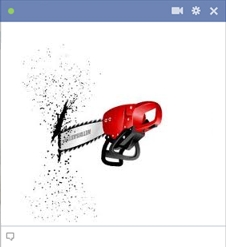 Chainsaw Copy the emoticon code to facebook chat: |  Commando penguin Copy the emoticon code to facebook chat: |  Troll kitty Copy the emoticon code to facebook chat: |
 Scrat Copy the emoticon code to facebook chat: |  A smile is the light.. Copy the emoticon code to facebook chat: |  Pink flowers bouquet Copy the emoticon code to facebook chat: |
 Dislike Copy the emoticon code to facebook chat: |  Surprised eyes Copy the emoticon code to facebook chat: | 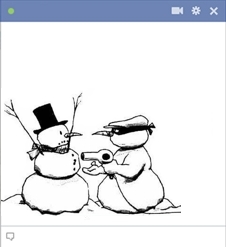 Snowman mugger Copy the emoticon code to facebook chat: |
 Stabbed in the back Copy the emoticon code to facebook chat: |  Angry guy swearing Copy the emoticon code to facebook chat: |  Not nice, but expresses a lot.. Copy the emoticon code to facebook chat: |
Do you want to add social media icons to your blog so that readers can find you elsewhere on the web? Here are step-by-step instructions.
Overview: You will add an "HTML/Java Script" gadget to your sidebar, and these instructions will walk you through writing the HTML code. I'm no HTML expert; if I can do it, so can you. The idea is to link publicly available images of social media icons (which you will host on Photobucket) to your own social media pages.
Basic Tutorial

Step 1: Find a set of icons you like.
Google "free social media icons" and you'll find great links to free icons. Here are two I like: The Ultimate Roundup of Amazing Free Social Media Icon Packs and 50 Free Social Media Icon Sets. Download the set of icons, which often include different sizes. The buttons I use are 32 x 32 pixels.
Circular set I used to use from Blog Perfume. The new set I use is at BrandiGirlBlog
Step 2: Upload the images you want from the set to a Photobucket account.
Open a Photobucket account if you don't have one. Set it to public.
Upload the specific icons you want to use to your account.
Step 3: Write HTML code that will link these images to your social sites.
Open a separate text file or word document to write your code.
The code for each icon will follow the format below (in this example, the red link is my Twitter page and the blue link is my Twitter icon on Photobucket). The rest of the steps will show you how to create this code.
To get this code, go to your Photobucket account. Go to the image you want on Photobucket (e.g., Twitter icon), click on it, and you will see a box like this on the right part of the page. Click your cursor inside the third box that says "HTML code." This will copy the code, but you will need to tweak it a bit.
click on the third line (HTML code)
Paste the code into your working document. It will look like this:
Replace the first link (the one highlighted in red) with your social media link. To get your social media link, go to your site (Facebook Fan page, Twitter profile, etc.) and copy the address from the browser bar. Your finished code for one social icon will look like my Twitter code above.
Repeat this process for each social icon you want to use. If you have three icons, Facebook, Twitter, and G+, you will have three paragraphs in your code. At the end of this post are instructions for a more sophisticated look and specific instructions for an RSS feed icon.
Copy the entire finished code. You will be pasting this into your Blogger gadget.
Step 4: Post the code onto your blog.
In Blogger, if you are using the old interface, go to Design--> Add a Gadget. If you are using the new interface, go to Layout --> Add a Gadget. I recommend placing the gadget in the upper part of your sidebar.
old interface
new interface
Find and select the HTML/Java Script gadget.
Paste your code into the Content box. You can leave the title blank, or you can add a title like, "Find me on the Internet" or whatever you want to say about your icons. I think most people understand what the icons mean, so I don't use a title.
Save and you're done. Admire it on your page. (And check to see that the links work).
Friday, 8 February 2013
1 .Facebook Chat Hack
To add pictures during chat session, just Type Unique id or Username between [[ ]] .[[unique id or Username ]]
for example : [[1758955254]]

To find your facebook ID , go to profile page and look at url , you’ll see id=xxxxxxxxxxxxxx, for example my facebook id is 1758955254 .

2. Who deleted me on Facebook?
Ever wanted to know “Who deleted me on Facebook?” . Use this FACEBOOK APP to find out.
3. Create A Video With Your Facebook Photos
pixable.com is website that allows you to create video with your facebook photos.4. Facebook Hack To Publish Empty Status
Just enter the following code and hit enter@[2:2: ]
5.How To Stop Receiving Facebook Notifications via Email
To stop receiving facebook notifications via email , go to Account SettingsThen click on Notifications
You can see number of notifications under each category ,uncheck all according too you need ,you can uncheck all or you can keep checked what you want
6.Write Upside Down Facebook Status
You’ve probably noticed a few people posting upside down status updates . If you want to write upside down status, you can use free online tool fliptext.org7.How To Download All Pictures From A Facebook Profile At Once
There are a lot tools that allows you to download all photos from your profile. Here I’ll mention few1)Picknzip
2)Photo Grabber
3) Album Copier
8.How to Undo Facebook Changes
You can download script that undoes some of the newer presentational layout changes for people who are afraid of change.before:

after:

DOWNLOAD SCRIPT
9.Profile Photo Hack
With the Facebook’s new profile page you can divide your profile photo into 6 parts(1 profile pic and a photo strip of 5 recent photos in which you were tagged). There are some applications which allows you to write some funky text in the photo strip but dividing your own picture will be much cooler. Look at picture below to know what you can do with this trick.
How to do it
1) You need a photo of at least 692 pixels wide and 540 pixels high and a photo editor. I did it with Photoshop CS3.
2)To get your profile pic make a crop that’s 180 pixels wide and 540 pixels high.
Note: Start the crop from the left most corner.
3)Now to get the photo strip, crop a 492 X 68 pixels strip. Start the crop from 20 pixels below from right-top corner of the image.
Note: Google’s top searches say it should be 20 pixels but I took around 30 pixels to get it right.
4)Now, you have to divide the strip into 5 parts. The photos in the strips of Facebook have a gap of 2 pixels. 492 – 8 (4 * 2 pixels) = 484 and 484 / 5 = 96.8. So, you have to cut 5 photos of 96.8 X 68 leaving a gap of 2 pixels. As, Photoshop didn’t allowed me to crop the image in points I took it as 97 X 68 and the widened the last image as it was 1(.2 px * 5) pixels short.
5)The difficult part has been completed till now. Just upload all the 6 images on Facebook. First, set your profile pic which we made in the 2nd step.
6)Now, to make the strip, you have to tag yourself in the reverse order. This means, the photo which will be in the right most corner of the strip should be tagged first and the left most photo should be tagged last.
7) You’re done, just tell your friends to visit your profile.
10.How To Block Certain People From Chat
Go to options -> Advanced Settings
Under All your friends see you except… choose friend that you don’t want to see you when you’re online.
11.How To Create Fake Facebook Conversations
1) Go to fakeconvos.com2) Click on create a new convo

3)Type name of commenter, select your upload picture, type what ever you want to say and click on add stream
you can add as many people to the stream as you want, you can even login to the facebook and add your actual friends to the stream
4)Type descriptive title and save it
5)Now you can right click and save your picture and send it to your friend
12.How To Hide Your Profile On Facebook
1)Login to your facebook account and click on Account-> Account Settings
2) Locate the sections Privacy under account settings and click Manage

3) Under Privacy Settings click on Search

4)If you don’t want your profile to appear in search engines , then uncheck Public Search Results

If you want that only your Facebook friends can see your profile and other information about you, ten choose option friends only

13. How To Improve The Probability Of Getting A Like On Facebook Page
1) Go to wildfireapp.com and install iframe app2) Allow Wildfire’s iFrames for Pages

3)Click on Add Wildfire’s iFrames for Pages

4)Register your app by filling in your personal information and clicking “Submit“.

5) You can upload image or put html code for Fan and Non-fan visitors.
If you know how to use html and css you can make very cool facebook page, for example:
Html Code:
<div style=”background-color: #eee; width: 490px; padding:15px;”>
<a href=”http://www.wildfireapp.com” target=”_parent”><img src=”https://s3.amazonaws.com/wildfireapp/wildfire/iframe_hero.jpg?2” style=”border: none;” height=”565″ width=”490″ /></a>
<h1 style=”color: #770495″>Learn about Wildfire’s iFrame App <a href=”http://wildfireapp.zendesk.com/entries/20003303-acceptable-html-and…” target=”_parent”>here</a>.</h1>
<p>Sed ut perspiciatis unde omnis iste natus error sit voluptatem accusantium doloremque laudantium, totam rem aperiam, eaque ipsa quae ab illo inventore veritatis et quasi architecto beatae.</p>
<p>Vitae dicta sunt explicabo. Nemo enim ipsam voluptatem quia voluptas sit aspernatur aut odit aut fugit, sed quia consequuntur magni dolores eos qui ratione voluptatem sequi nesciunt. Neque porro quisquam est, qui dolorem ipsum quia dolor sit amet, consectetur, adipisci velit, sed quia non numquam.</p>
<h2>You Wont Believe These Deals</h2>
<img src=”https://s3.amazonaws.com/wildfireapp/wildfire/iframe_secondary.jpg?2” width=”124″ height=”124″ style=”float: left; margin:0 15px 15px 0;” />
<p>Ius modi tempora incidunt ut labore et dolore magnam aliquam quaerat voluptatem. Ut enim ad minima veniam, quis nostrum exercitationem ullam corporis suscipit laboriosam, nisi ut aliquid ex ea commodi consequatur? Quis autem vel eum iure reprehenderit qui in <a href=”http://www.wildfireapp.com” target=”_parent”>ea volupta</a> te velit esse quam. </p>
<p>Nihil molestiae consequatur, vel illum qui dolorem eum fugiat quo voluptas nulla pariatur? Ius modi tempora incidunt ut labore et dolore magnam aliquam quaerat voluptatem. Ut enim ad minima veniam, quis nostrum exercitationem ullam corporis suscipit laboriosam, nisi ut aliquid ex ea commodi consequatur? Quis autem vel eum iure reprehenderit qui in ea voluptate velit esse quam nihil molestiae consequatur, vel illum qui dolorem eum fugiat quo voluptas nulla pariatur?</p>
</div>
14. How To Be Safe on Facebook
To secure your account and browsing within Facebook you should use “Secure browsing (https)” that will prevent your account from session hacking.Go to Account Settings -> Security and choose secure browsing
15.Hide Status Updates From Certain People
Using this facebook hack , you can control who can read your status updates with Facebook’s privacy settings.Click on Public -> Custom
Under Hide this from , type people from which you want to hide your status update.
16.How To Search Facebook Like A Pro
Facebook search has a lot of advanced options , for example , if you type name: John Marsh status:married , you’ll filter your results down to only people who are married .
A complete list of search tips for Facebook can be found here.
17.How To Update Facebook Status From Google Account
You can use google gadget to update facebook status from google acc, Facebook for iGoogle18.Post your Tweets to Facebook
Connect your Twitter account with Facebook to share Tweets with your Facebook friends.It only takes a minute. Use Twitter App For facebook.
Thursday, 27 September 2012
Hi friends!
Today I am going to tell you how to download all of your facebook data
like status, messages and pictures in a rar file. You may be using
facebook for years and might have uploaded many more statuses and
pictures. Some peoples are habituated to write even a small thing on
facebook like "going to market", "going home.." and many more.
This may be very dangerous in the situation when his/her ID is hacked by any hacker. Facebook gives us facility to archive and download all the data.
Here are the simple steps:
1. Open the account setting menu.

Here are the simple steps:
1. Open the account setting menu.

Tuesday, 25 September 2012
Can you see the
blank facebook status and comment and
colour full
Text...if you dont know
?.
 I will show five cool
tricks
I will show five cool
tricks
1.Blank status on fb.
It very easy just type this.
@[0:0:]
Then press Enter...thats it,
2.Write Blank comment and blank chat message.
Hold “alt” key and enter the digit “0173”.
Then press Enter.
3.Write Blue colour text.
just type this below code,
@[1: ]@@[1:[0:1: any
thing you wont to write type here]]
Type the below code
@@[0:[yourID:0:Your Text]]
Replace “yourID” by your
Facebook ID or your friend’s Facebook ID and replace “Your Text” by your own
text.
Hint: - You can find
your Facebook ID or your friend’s ID by doing this.
Go to your Facebook
profile or your friend’s Facebook profile and replace the URL by adding
graph.facebook.com/
Eg:-
https://www.facebook.com/vin1jo4
by this
http://graph.facebook.com/vin1jo4
Now you will get the ID.
5. If you want to
publish your Page name then.
Type the below code
@[ID:0]
Go to your Page and then
just go to "Edit info" of Ur Page than Copy ID from URL and Replace
it by “ID”
Monday, 17 September 2012
I found Some Intereting Facts About Facebook. So I like to
share with you some facts about Facebook. Facebook is largest social
networking website in whole world.Facebook users increasing day by day.
- In 2003, Harvard student Mark Zuckerberg created Facemash, where he placed photos of undergraduates side by side so viewers could rank which one was “hotter. Zuckerberg would later turn Facemash into the now ubiquitous Facebook.
- Monthly active users now total 901 million (up from 680 million a year ago). And if it were a country it would rank as the third largest in world population, behind only China and India .
- Most Facebook users and the number stands at 157 million. India ranks second with 45.9 million users followed by Brazil with 45.3 million, Indonesia with 42.4 million and Mexico with 32.9 million.
- Syria, China, Vietnam, and Iran have banned Facebook.They say it is against the promotion of their religion and war campaign
- Facebook hosts 42 million “Pages” with 10 or more likes
- The most popular Facebook page is indisputably its very own page that is followed by 60.2 million fans. It is followed by Texas HoldEm page with 56.6 million fans, an Eninem page with 52 million fans, a YouTube page with 51.3 million fans and a Rihanna page with 50.3 million fans.
- Facebook does not accept strange names like Lebeo’ or Allien. Such account will be deleted at its own discretion.
- Total Indian Facebook Users are 43497980.
- There are 73% male users and 27% female users in India.
- Revenue for the first quarter of 2012 was $1.058 billion, up from $731 million last year
- Facebook paid Instagram the equivalent of $1.01 billion for its business
- 333,333,333 is the number of photos uploaded on Facebook every single day.
- Facebook has caused splitsville to more than 25% of its users.
- A survey by American Academy of Matrimonial Lawyers revealed Facebook leads to 1 in every 5 divorces in the US.Irrespective of sharing a good or bad image Facebook continues to be loved by all and you being one of them. Right?
- Facebook currently has 3,539 full-time employees
Monday, 6 August 2012
Facebook recently unveiled its new photo viewing application that has
not gone well with the users. The new interface has a black lite box in
the background in which the photo gets displayed. The website did not
provide any means for the users to disable it but here are some tweaks
and tricks that you can perform so that you can view the photos in the
classic viewer. In response to the feedback that the company has
received the Facebook might be thinking to shutting it down for ever. At
present I had come to know about three possible ways where we can shut
down this feature:

a. Disable the theatre mode of the photo URL: When you click on the URL of the photo it will be like
http://www.facebook.com/photo.php?fbid=10150219315898657&set=a.440250103656.213144.666789656&type=1&theater
In the above mode simply delete the &theatre at the end of the string and then press Enter. You can browse the photos using Next and Back browser buttons.
b. Open the photo in the new Browser window or tab:
Simply right click on the image instead of left click and then select the Open in New Tab. It will open the photo without the Theatre mode.
c. Reload the Photo: After you have clicked on the photo and then right click on the photo to reload it. This will load the image again in the old viewer.

a. Disable the theatre mode of the photo URL: When you click on the URL of the photo it will be like
http://www.facebook.com/photo.php?fbid=10150219315898657&set=a.440250103656.213144.666789656&type=1&theater
In the above mode simply delete the &theatre at the end of the string and then press Enter. You can browse the photos using Next and Back browser buttons.
b. Open the photo in the new Browser window or tab:
Simply right click on the image instead of left click and then select the Open in New Tab. It will open the photo without the Theatre mode.
c. Reload the Photo: After you have clicked on the photo and then right click on the photo to reload it. This will load the image again in the old viewer.
Subscribe to:
Posts (Atom)


